
Create QR Code from URL: A Free, Simple Guide
Want to create QR code from URL without signing up or installing anything? This guide shows the quick way, the mistakes that make a code fail, and how to test it before you print.
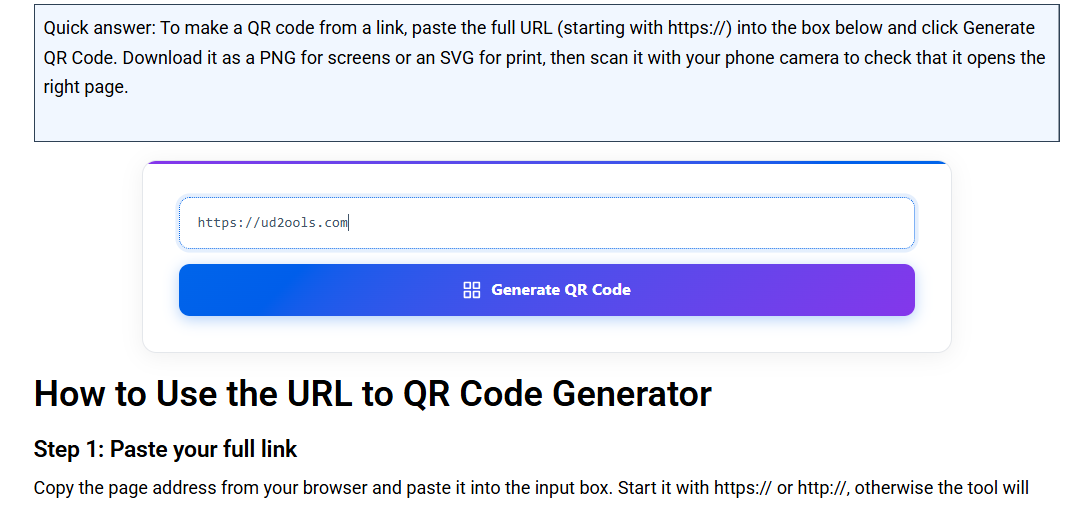
Quick answer: To create QR code from URL, open the free ud2ools URL to QR Code Generator, paste your full link, press Generate, and download the code as a PNG or SVG file. No account is needed and your link is not saved on any server. Scan the code with your phone before you print it.
How to Create QR Code from URL in 3 Steps
It takes about a minute. You only need the link you want people to open and a phone to test the result.
- Copy the full link. Include the https:// part. Then open the URL to QR Code Generator.
- Paste it and press Generate. The QR code appears on the same page within a couple of seconds.
- Download it. Choose PNG or SVG, then scan the file with your phone to confirm it opens the right page.
Once you press Generate, the QR code shows up right away and the download options appear under it. Pick PNG or SVG depending on where you plan to use the code.
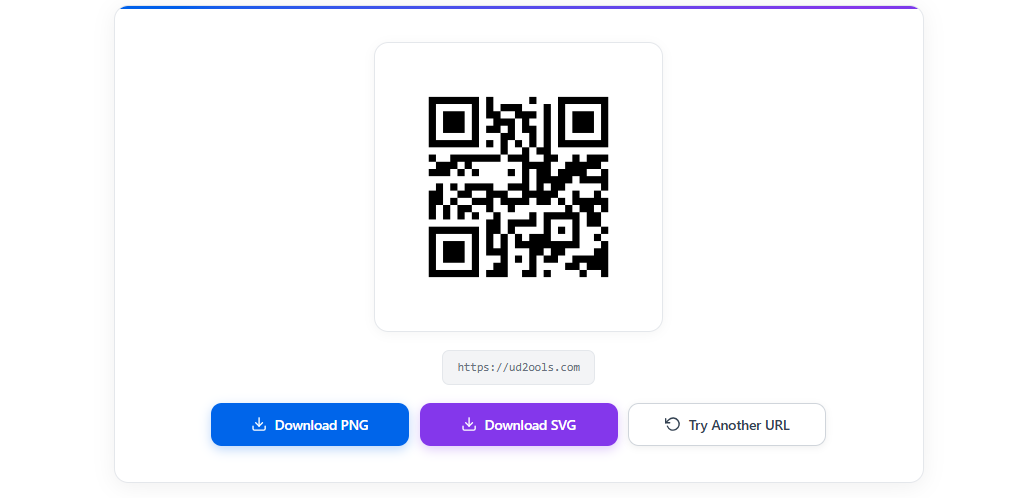
The whole thing runs inside your browser, so ud2ools does not store your link. Just remember that anyone who scans the finished code can see where it leads.
PNG or SVG: Which File Should You Download?
The tool gives you both formats, so choose by where the code will be used.
| Format | Best for | Good to know |
|---|---|---|
| PNG | WhatsApp, social posts, documents, slides | A fixed-size image. Stretching it too far can blur the edges. |
| SVG | Flyers, banners, menus, anything printed large | A vector file that stays sharp at any size. Some basic apps cannot open SVG files. |
If you are not sure, download both. Use the PNG on screens and hand the SVG to the print shop.
What Can You Do with a QR Code Made from a Link?
Anything that sends people to a web page. Typing a long link letter by letter, with every slash and symbol, is slow and easy to get wrong. A QR code replaces all of that with one scan.
- Menus: link to your online menu from a table card or window sticker.
- Business cards: link to your website or profile page.
- Flyers and posters: link to an offer, a form or an event page.
- Shops and sellers: link to your catalogue, WhatsApp chat or Facebook page from the counter or the packaging.
- Study material: link to a video or a document so students do not have to type anything.
Need to share plain text, Wi-Fi details or a contact card instead? ud2ools has separate tools for those: Text to QR Code, WiFi QR Code and VCard QR Code. You can find all of them on the QR Code Generator page.
Why Does a QR Code Not Scan? Common Mistakes
Even when you create QR code from URL correctly, the printed result can still fail. These are the usual reasons.
- Printing it too small. Small codes need steady hands and good light. Print bigger than you think, and test the smallest size you plan to use.
- Busy or dark backgrounds. A black code on a plain white area is the safest. Do not place it over a photo or a coloured pattern.
- Stretching the image. Resize it with the same width and height, otherwise the squares become rectangles.
- No empty border. Keep blank space around the code. Text or lines touching the edges can confuse a scanner.
- A wrong or half-copied link. Open the link in your browser first. A missing https:// or a stray space is enough to break it.
- A very long link. Longer links make a denser pattern with smaller squares, which is harder to read at small sizes. If you can, use a shorter page address.
- A page that disappears later. The code does not expire, but if the page is deleted or moved, people land on an error. A printed code is only as good as the page behind it.
Static or Dynamic: What Kind of QR Code Do You Get?
The code made by ud2ools is static. Your link is built directly into the pattern, which has two real benefits and two limits.
- Benefit: it keeps working as long as your page exists, with no middle service that can switch off.
- Benefit: it needs no account, and there is nothing to renew.
- Limit: you cannot change the destination after the code is printed.
- Limit: there is no scan counter or tracking.
Dynamic QR codes send people through a middle service first. That lets you edit the destination and see scan numbers, but such services typically run on accounts and plans. If you need statistics, a dynamic service is the right tool. If you just want a code that opens your page, a static one is enough.
How Do You Test a QR Code Before Printing?
Scan it yourself, on the same material and at the same size people will see. Five minutes here can save a whole print run.
- Scan it with your phone's built-in camera app.
- Try Google Lens or a second phone, because some devices read codes differently.
- Print one small test copy and scan that, not just the screen.
- Check that the page opens on mobile data, not only on Wi-Fi.
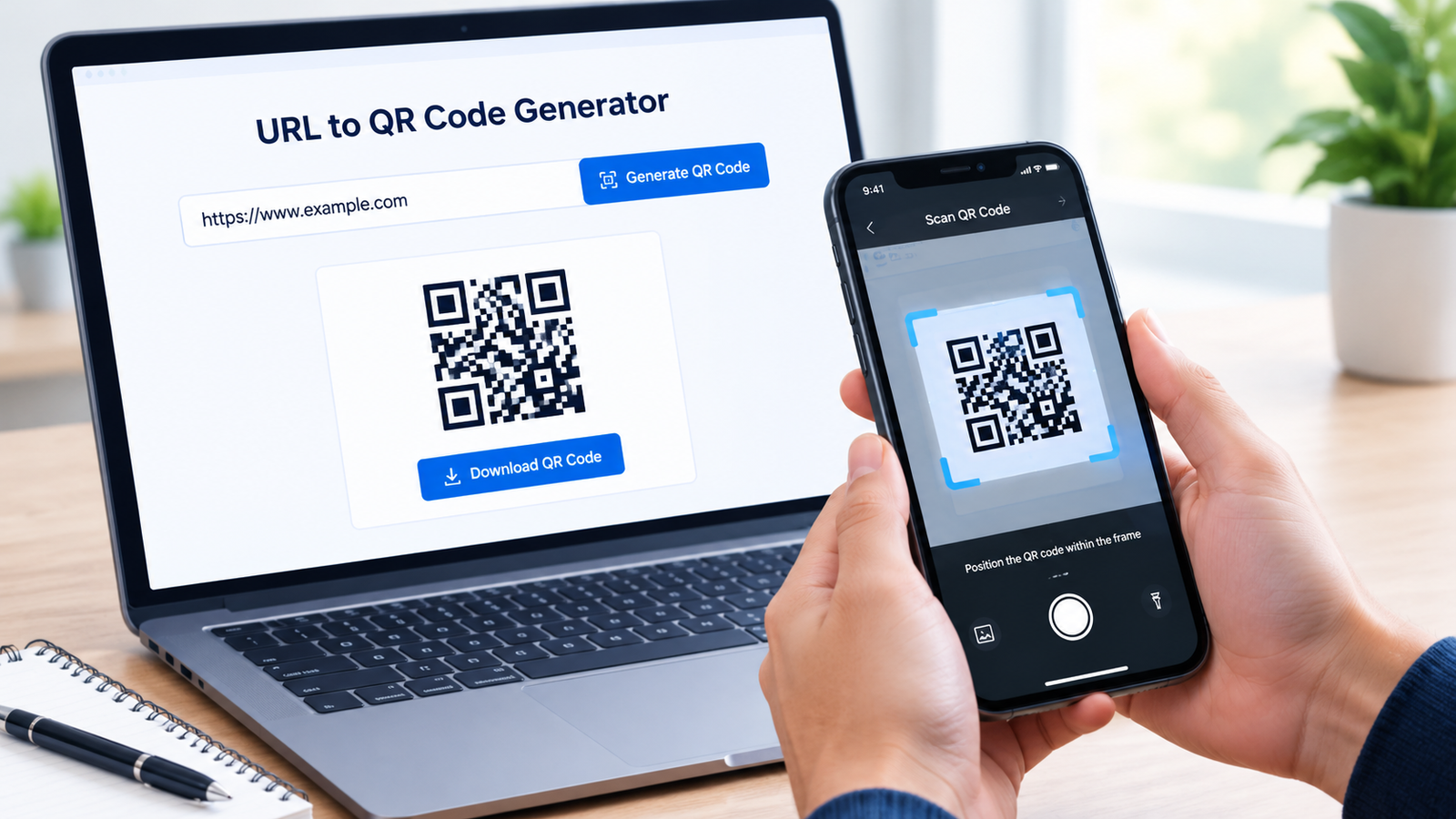
How Do You Find the Link Inside a QR Code?
Open your phone camera and point it at the code. A link banner usually appears near the top or bottom of the screen. Tap it to open the page.
On Android, Google Lens also works if the camera app shows nothing. Before you tap, read the web address. Anyone can put any link inside a QR code, so a strange-looking address is a good reason not to open it.
Where Did the QR Code Come From?
The QR code was invented in Japan in 1994 by a division of DENSO, a car parts maker, and the work later moved to DENSO WAVE. It was first used for tracking inventory in factories. The company then made the patent free to use, which is a big reason it spread worldwide. "QR Code" is a registered trademark of DENSO WAVE INCORPORATED.
For a short official account, read the Japan Patent Office article on the QR code. For general background, see the QR code entry on Wikipedia.
FAQ: Create QR Code from URL
Is it free to create QR code from URL on ud2ools?
Yes. The ud2ools URL to QR Code Generator is free, with no account and nothing to install. You paste the link, press Generate, and download the file as PNG or SVG.
Does the QR code expire?
The code itself does not expire, because the link is stored directly in its pattern. It only stops being useful if the page it points to is deleted or moved. Check that page before you print.
Does ud2ools save my link?
No. The code is made inside your browser, so your link is not stored on a server. Anyone who scans the finished code can see the link, so avoid putting private addresses in codes you share.
Should I download PNG or SVG?
PNG suits screens, chats and documents. SVG suits large prints because it stays sharp at any size. If you are unsure, download both.
Can I add a logo or change the colour?
Not at the moment. The generator makes a normal-size black QR code. A logo option is planned for a future update.
How do I check where a QR code leads?
Scan it with your phone camera or Google Lens and read the web address shown before you tap. If the address looks strange, do not open it.
Hi, this is a comment.
To get started with moderating, editing, and deleting comments, please visit the Comments screen in the dashboard.
Commenter avatars come from Gravatar.
Pingback: Convert Link to QR Code: WhatsApp, YouTube, Maps