
Text to QR Code Generator
Need to turn a note, a message or a few lines of writing into something people can scan? This free text to QR code generator does it in a couple of seconds. Type or paste your text, press the button, and download the QR code as a PNG or SVG file. It works right in your browser, there is no signup, and nothing gets a watermark.
Last updated: October 2026 | Free | No signup needed
Quick Answer: To make a QR code from text, paste your text into the tool below, click Generate QR Code, and download the result as PNG or SVG. Anyone can scan it with a phone camera to read your words. This text to QR code generator is free and needs no account.
How to Use the Text to QR Code Generator
You can finish the whole process in under a minute.
1. Type or paste your text. A sentence, a phone number, an address or a short note all work.
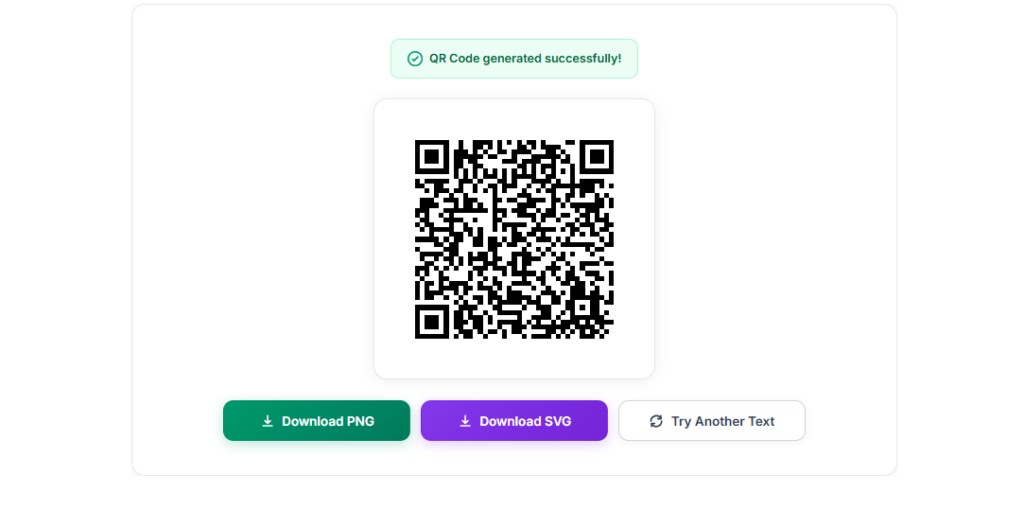
2. Click “Generate QR Code.” Your QR code appears in place of the text box.
3. Scan it once with your phone. This quick test catches typos before you print or share.
4. Download or start over. Save it as PNG or SVG, or click “Try Another Text” to make a new one.
What Is a Text to QR Code Generator?
A text to QR code generator is an online tool that converts plain text into a QR code, the square pattern of black and white dots that phones can read. When someone scans the code, your text appears on their screen exactly as you typed it.
QR stands for Quick Response. A Japanese company called Denso Wave created the format in 1994 to track car parts, and it has since spread to menus, tickets, packaging and business cards. You can read more about the history in this overview of the QR code standard.
A text QR code is static: the words are stored inside the pattern itself. That means it keeps working as long as the printed code stays readable.
Why Use This Text to QR Code Generator
Free, No Signup
Create as many QR codes as you like. No account, no email address, no daily limit.
Private by Design
Your QR code is built inside your browser. Your text is not sent to our server or stored anywhere.
PNG and SVG Downloads
Grab a PNG for chats and documents, or an SVG that stays sharp at any print size.
Any Language
Urdu, Arabic, Hindi, English or emoji. If you can type it, you can encode it.
Urdu, Arabic, Hindi, English or emoji. If you can type it, you can encode it.
Because a text to QR code generator does not care what the words say, people use it for all kinds of small jobs:
– Care instructions or labels on equipment and shelves
– A short message printed on a gift card or invitation
– Product details or a serial number on packaging
– A phone number or address on a visiting card
– Hints and answers on a printed worksheet
– A favourite verse, quote or poem, including Urdu
When someone scans a text QR code, most phones show the words in a small banner that you can tap to copy or search. If you want the scan to open a website instead, you need a URL QR code, not plain text.
Text QR Code vs Other QR Code Types
Not every QR code holds the same kind of data. This table shows how a text QR code compares with the types you will meet most often. If your goal is plain words, a text to QR code generator is the simplest choice.
| QR Code Type | What It Contains | Best For |
|---|---|---|
| Text | Plain words, numbers and symbols | Notes, instructions, short messages and labels |
| URL | A web address | Websites, menus and social media profiles |
| Wi-Fi | Network name, password and security type | Letting guests join Wi-Fi without typing a password |
| vCard | Name, phone number, email and address | Business cards that save a contact in one scan |
Tips for a QR Code That Scans Every Time
- Keep the text short: Less data makes a simpler pattern that scans faster and from farther away.
- Test before you share: Scan it with at least one phone before you print fifty copies.
- Leave the white border alone: The blank margin around the code helps scanners spot it.
- Print it big enough: About 2 x 2 cm is a practical minimum for close-range scanning.
- Choose SVG for print: A vector file stays crisp on posters, stickers and packaging.
Common Mistakes to Avoid
- Pasting a whole page of text. Long text creates a dense code that is hard to scan. Trim it to what people really need.
- Using plain text when you want a link. A text QR code is not clickable by design. Use a URL QR code for websites.
- Cropping the white border. If you place the code in a design, keep the blank margin around it, or some scanners will fail.
Frequently Asked Questions
Yes. It is completely free, with no signup, no usage limit and no watermark on the downloaded files.
No. The QR code is created inside your browser, so your text stays on your device. We do not store it.
The box accepts up to 2,000 characters. Plain English text fits comfortably, but Urdu, Arabic and emoji take more space inside a QR code, so very long text in those scripts may need to be shorter. For the best scans, keep it brief.
Yes. The codes made by this text to QR code generator follow the standard QR format, so the built-in camera on modern Android phones and iPhones reads them, and so does any QR scanner app.
Their phone shows the text. It is not a link, so nothing opens by itself. If the text happens to be a web address, many phones will offer to open it.
Yes. The tool encodes text in UTF-8, which covers Urdu, Arabic, Hindi, Chinese, emoji and special characters.
No. A text QR code is static, which means the text is stored in the pattern itself. It does not depend on any website or online service.
Not at the moment. The tool creates black-on-white codes because that combination scans most reliably on every device.
Ready to Make Your QR Code?
Scroll back up, paste your words into the text to QR code generator and download your code in seconds. It is free, private and always available.